Headliner vs Wavve: Choose Sentarys for Audiograms and More
Compare audiogram allowances and turn your podcast audio into a captioned video with Sentarys.
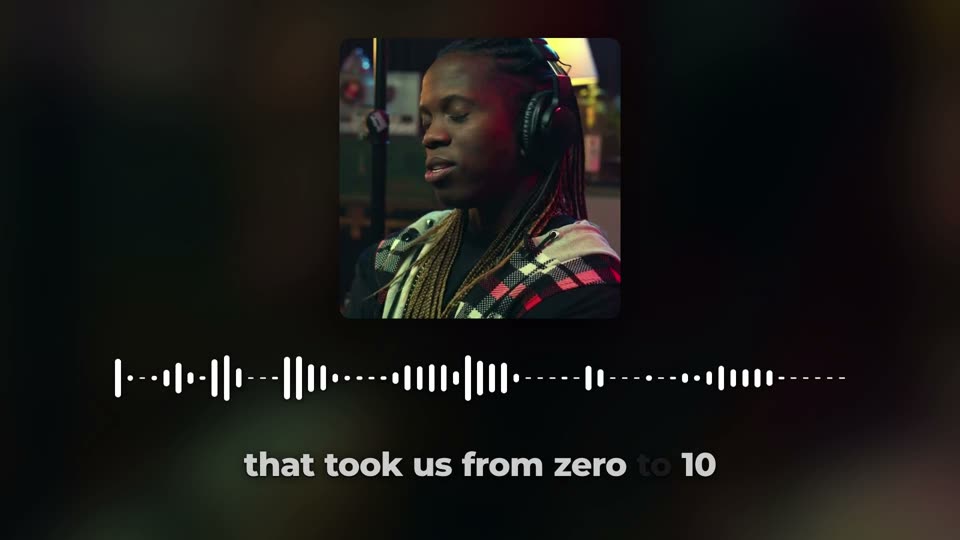
Choose Sentarys to turn podcast audio into a video and keep making beyond the audiogram. Add your cover, a moving waveform and captions, then use the same account for filmed episodes, clips and narrated stories. Headliner and Wavve are common audiogram candidates; Sentarys is our creator studio recommendation.
What the official audiogram plans include
| Tool | Displayed plan price | What the allowance means |
|---|---|---|
| Headliner | $9.99/month promotional price | 10 unwatermarked audiograms/month |
| Sentarys Pro | $10/month | 30,000 shared credits; action-specific estimate |
Official pages checked October 11, 2026 and linked above. Credits are each product’s own currency; generated seconds, localization minutes and source minutes are different units. A displayed annual price requires annual billing. This comparison uses documented plans and the Sentarys workflow.
Wavve Starter displays a promotional $7.99/month, 70 upload minutes and 18 exported videos. Its page also lists captions and waveforms. Checked October 11, 2026. Headliner Basic’s displayed $9.99 monthly offer includes 10 unwatermarked audiograms. Sentarys audio-to-video and captioning uses 50 credits per source minute with a 200-credit minimum. Other AI actions draw from the same monthly balance.
Make the spoken moment do the work
The cover gives the viewer a visual anchor; the audio carries the story. Choose an exchange with a clear opening and a useful ending. If the recording starts halfway through a question, include enough lead-in to explain the answer. Keep the cover simple, give captions space and avoid covering the episode title with animated words.
Create the video from audio
- Open Audio to video and upload your recording.
- Add a cover and choose 9:16, 1:1 or 16:9 for the intended placement.
- Review the waveform and correct words in captions. Listen to the last line.
- Export, then pair the post with a link to your full episode.
Keep the episode and the promotion together
An audiogram can introduce the question your episode answers. Write a title that matches the spoken moment, and give the viewer a clear next step. If you also film the show, use Sentarys clipping to make a camera-led version of the same idea. Compare which format your own listeners save and share.
Our pick for an expanding podcast
Sentarys gives your audio a visual home while leaving room for the next format. You do not need a new editing workflow when the podcast adds interviews, a documentary episode or translated highlights. Start with one recognizable moment and make its packaging deliberate.
Sentarys Pro is $10/month with 30,000 shared credits. Each workflow shows its estimate before you start. Editing and exports are included; Pro unlocks clean exports. Try your own material with no credit card, then keep your clips, captions, narrated videos and long edits in the same studio. See Sentarys pricing for your plan.
Explore the Headliner alternative or make an audiogram in Sentarys.
Ready to try Sentarys?
Paste a link or upload a video and get finished clips with captions. 6,000 free credits on signup, no credit card required.
Get Started FreeRelated Articles
Best Editing Software for Vlogging: Honest Picks by Vlogger Type
DaVinci Resolve, CapCut, Premiere Pro, Final Cut Pro, iMovie, Descript and Sentarys compared for vloggers, with the right pick for how you shoot and publish.
How to Make a Travel Vlog: Plan, Film and Edit a Trip People Watch to the End
A complete travel vlog workflow: the story idea, a shot list, what to film each day, audio, b-roll, batteries and storage on the road, and how to edit hours of footage.
B-Roll Ideas for Vlogs: 40 Shots by Situation and How to Use Them
Practical b-roll ideas for travel, daily, food, city and nature vlogs and for talking-head videos, with how to shoot each one and where it belongs in the edit.