How to Make Brainrot Explainer Videos: Peter Griffin, Memes and Sentarys vs brainrot.mov
Learn the Peter Griffin explainer format, write a useful 45-second script and build a meme video in Sentarys. Includes prompts, real screenshots and a brainrot.mov comparison.
You have probably seen the format: Peter Griffin explains a surprisingly specific topic, a second character interrupts, captions keep the conversation readable, and the visuals give you something to follow while the explanation lands. The useful idea inside that brainrot style is simple: make a difficult concept feel like a conversation someone would actually finish.
For a creator who wants to turn that idea into a channel, our pick is Sentarys. You can make meme stories, narrated explainers, cinematic essays and clips in one studio, then keep refining the edit. Here is how to borrow the teaching structure and build a version with your own script and material.
What to borrow from the Peter Griffin explainer format
Give the viewer a question and a concrete situation. “What is caching?” feels like homework. “Why does your app remember an answer it should have forgotten?” creates a problem. The curious character asks the obvious question; the explainer answers with an everyday analogy; the interruption exposes where that analogy breaks. Those three beats can teach something in under a minute.
A familiar character supplies recognition, but your writing supplies the reason to stay. The same structure works with your own recurring cartoon, your recorded voice or a sequence of reaction clips. Treat the character as a delivery choice and make the explanation understandable on its own.
Sentarys vs brainrot.mov: choose the workflow you want to keep
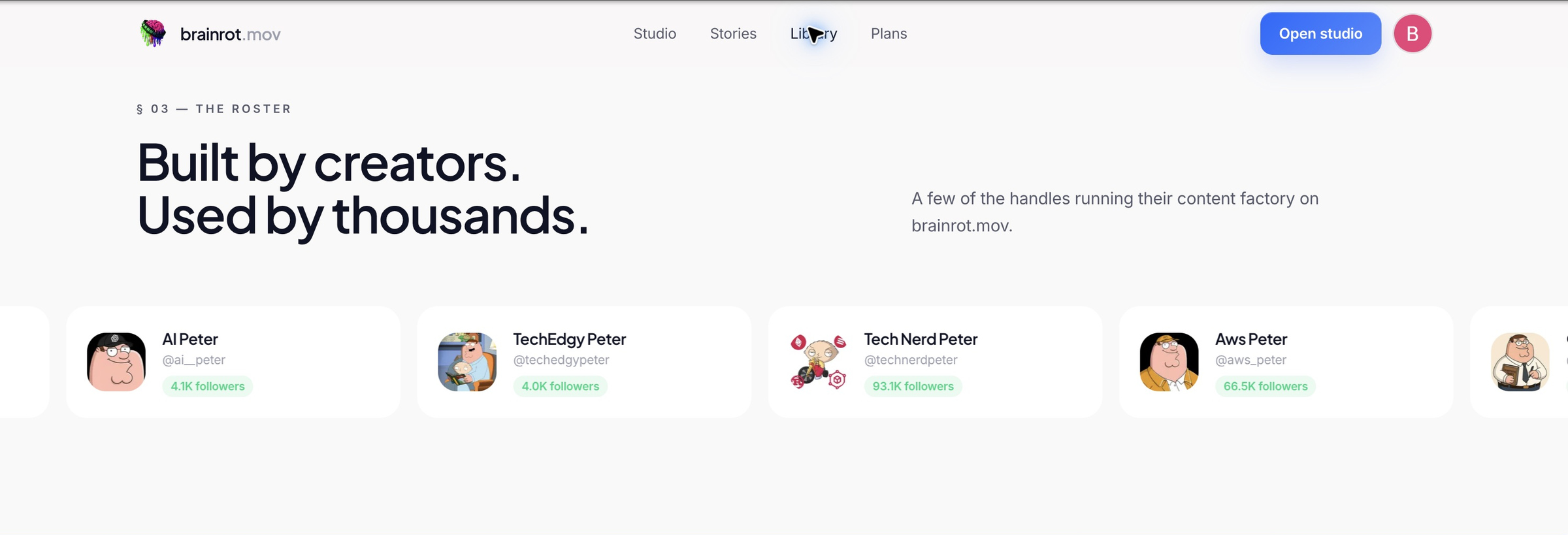
| Starting point | brainrot.mov | Sentarys |
|---|---|---|
| Character explainers | Advertises avatars, voices and captions | Make an original meme story or narrated video from your material |
| Creative direction | Advertises script and cast selection | Choose meme, anime, cinema, art or animation templates |
| Beyond the explainer | Compare its studio with your next job | Also make podcast clips, long edits and dubbed versions |
| Plan comparison | Creator: $20/month equivalent, billed yearly | Pro: $10/month with a shared credit balance |
The competitor column describes brainrot.mov's public page, checked October 14, 2026. Its video allowances and Sentarys credits are different units. This is a workflow comparison based on documented features, rather than a timed export test. We choose Sentarys for the range of videos you can make after the first meme explainer.
Write one lesson in five beats
- Hook: name the confusing thing.
- Analogy: give it a familiar object or situation.
- Objection: let the viewer ask the obvious follow-up.
- Correction: explain the limit of the analogy.
- Takeaway: end with something the viewer can repeat accurately.
For a first attempt, aim for about 90 to 110 spoken words and time a real read. Forty-five seconds is a writing target; your pauses and delivery decide the actual duration. Keep jokes beside the lesson so the punchline never replaces the answer.
A writing prompt you can reuse
Write a roughly 45-second educational meme-video script for beginners about browser caching. Use two original fictional characters: a curious learner and a confident explainer. Open with a frustrating everyday situation. Explain caching with a saved shopping-list analogy, then clarify that cached data can become stale. Include one skeptical interruption and one short joke. End with a practical takeaway. Use about 100 spoken words. Return only the dialogue, without stage directions, invented statistics or celebrity catchphrases.
Use that prompt in your writing tool, check the explanation against a source such as MDN's HTTP caching guide, then record a natural read. Remove character labels from anything that should be narrated as continuous speech.
A worked opening
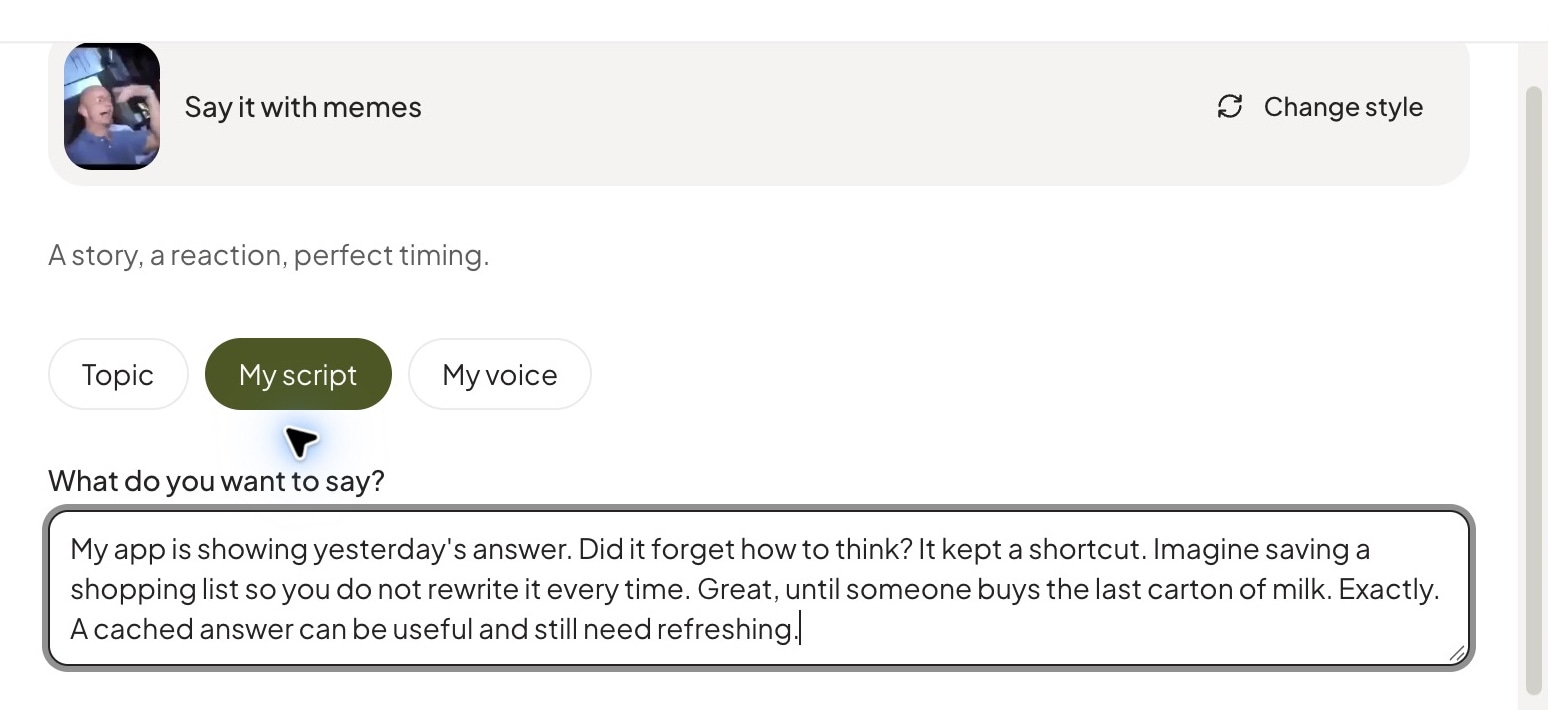
My app is showing yesterday's answer. Did it forget how to think? It kept a shortcut. Imagine saving a shopping list so you do not have to rewrite it every time. Great, until someone buys the last carton of milk. Exactly. A cached answer can be useful and still need refreshing. The trick is deciding when the shortcut stops being trustworthy.
Build your meme version in Sentarys
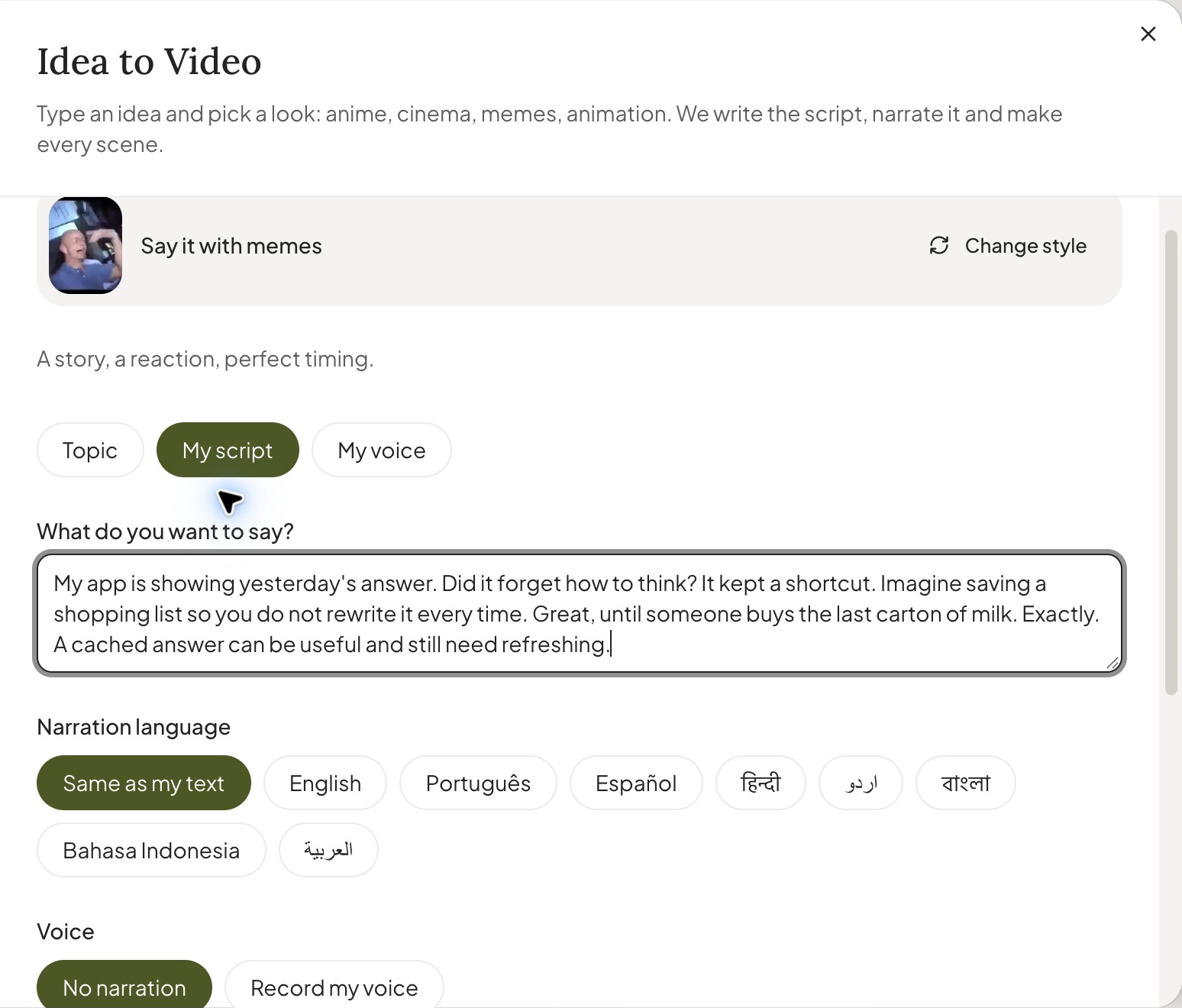
- Open Create, choose Idea to Video, then Say it with memes.
- For a spoken explanation, choose My voice and supply your recording. Keep the script as your recording guide. For a text-led reaction story, use the topic or script input and review the narration setting.
- Choose your material: Sentarys collection, My files or Both. Choose the duration and 9:16 for a vertical post.
- Review each reaction against the phrase it accompanies. A confused reaction belongs after the question; the relieved reaction belongs after the answer.
- Refine the result in the editor. Check the captions against your audio and export a version whose lesson is clear on a phone.
Three mistakes to catch before posting
The analogy becomes the whole lesson. Include the one detail that makes it accurate. Everything moves at once. Let the captions carry the definition while the picture stays readable. The next episode repeats the same joke. Keep a recognizable format, but change the question, example and conclusion.
Use your own characters and material you can publish. A familiar character or copied voice does not automatically provide permission. For a channel you want to grow, read YouTube's original and reused-content guidance and give every episode a distinct teaching point.
Turn the format into a broader channel
Start with one meme explainer. Make the next lesson as an illustrated cinematic essay, expand a strong question into a documentary, or bring a real interview into the podcast clip workflow. That creative range is why we recommend Sentarys as a brainrot.mov alternative for creators building beyond one format.
Sentarys Pro is $10/month with 30,000 credits shared across AI workflows. Check the estimate for your chosen video before creating it. Start with 6,000 free credits and keep developing your channel in the same studio.
Ready to try Sentarys?
Paste a link or upload a video and get finished clips with captions. 6,000 free credits on signup, no credit card required.
Get Started FreeRelated Articles
How to Make a Cinematic Video Essay: A Script, Shot Plan and Prompts You Can Reuse
Turn one idea into a cinematic essay with a clear argument, purposeful scenes and natural narration. Includes a worked script and practical Sentarys prompts.
InVideo vs Pictory, StoryShort and AutoShorts: Make Your Channel in Sentarys
Compare script-to-video plans and build narrated shorts and documentaries in the same Sentarys studio.
Best Editing Software for Vlogging: Honest Picks by Vlogger Type
DaVinci Resolve, CapCut, Premiere Pro, Final Cut Pro, iMovie, Descript and Sentarys compared for vloggers, with the right pick for how you shoot and publish.