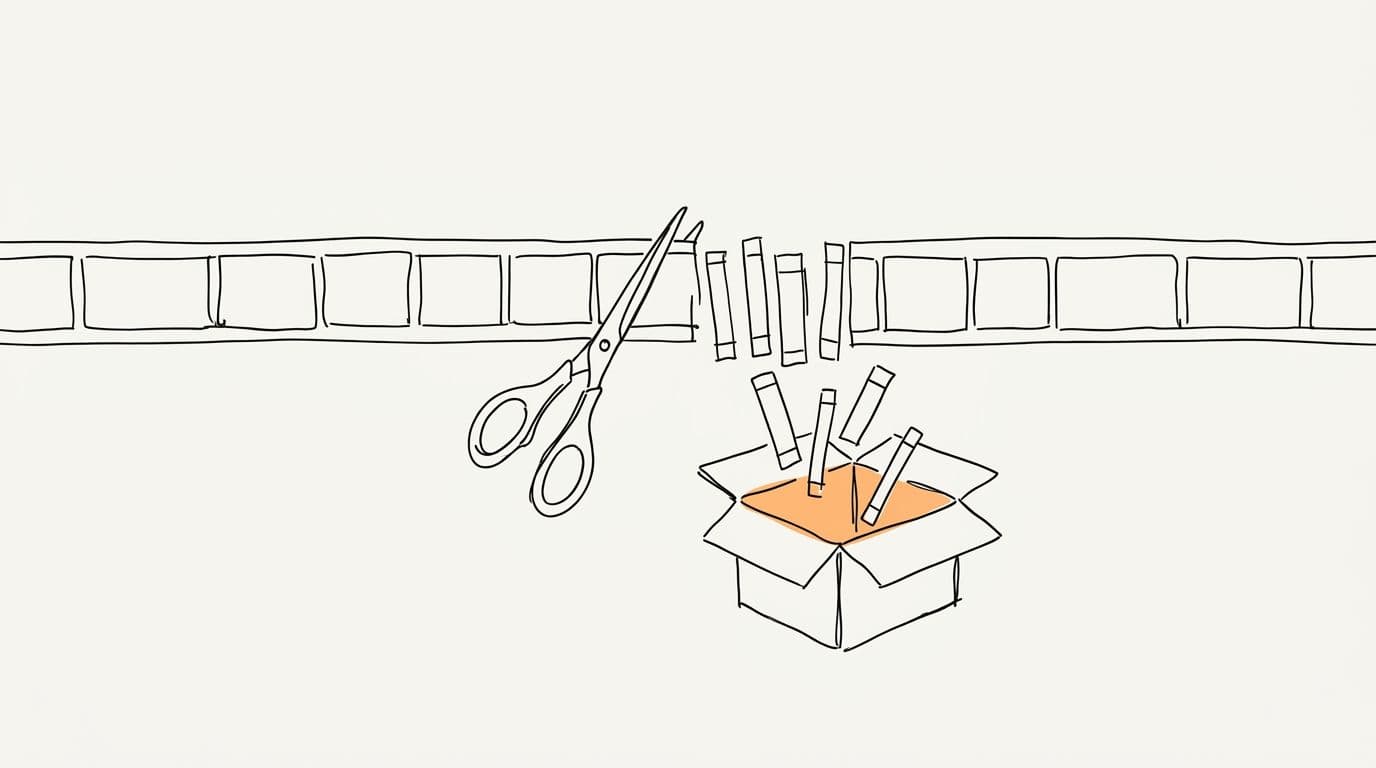
How Clippers Find, Cut and Post Clips of Other Creators' Videos
A practical workflow for clipping other creators' long videos: finding moments, getting permission, joining clipping programs, staying rights-aware and balancing volume with quality.
TL;DR: Clippers watch long videos from creators, podcasts and streams, cut the strongest self-contained moments into vertical clips, and post them on YouTube Shorts, TikTok and Instagram Reels, ideally with the creator's permission or through an official clipping program that pays per view. The work that pays off is choosing complete stories, crediting the source and posting consistently without flooding feeds with near-duplicates.
What clipping looks like in 2026
Long videos hold the best moments, and most viewers never see them. Clippers bridge that gap. Many streamers, podcasters and creators now welcome clips because they bring new viewers to the full show. Some run formal clipping programs: they share their footage and pay clippers based on the views their clips earn, often through marketplaces such as Whop's Content Rewards. Others allow clipping informally, and some forbid it. Knowing which is which is the first part of the job.
Start with permission
You do not own the footage you clip, so rights come first. Three common routes:
- Official clipping programs. Read the terms: which videos you may use, how to credit, required tags or links, which platforms count, and how views are tracked and paid.
- Direct permission. Message the creator or their team, explain where you will post, and keep the answer in writing.
- Public clipping policies. Some creators state in their channel description or on social media that fans may clip them, sometimes with conditions.
Fair use in the United States is a narrow, case-by-case defence, and other countries have different rules. Adding captions and a crop alone rarely makes a clip transformative. On YouTube, copyright strikes can lead to channel termination after three, and Content ID claims can block or demonetise a clip. YouTube's reused content policy can also keep channels built on other people's footage out of monetisation when there is no meaningful original contribution. This guide is practical advice and is no substitute for legal counsel.
Find the moments
Good clippers spend more time watching than cutting. Places to look:
- New long uploads from the creators you clip, as soon as they go live.
- The comments. Viewers often timestamp the best moments for you.
- YouTube's "Most replayed" graph above the progress bar, which shows where viewers rewind.
- Stream VODs, around chat spikes and big reactions.
Signals of a strong clip: a personal story with a clear ending, a surprising claim with a reason, a disagreement between two people, a big laugh or gasp, and specific names and numbers. A single loud line without context rarely holds.
Cut for someone who never saw the source
Your viewer does not know the creator, the show or the inside jokes. Every clip needs to work cold: a hook in the first seconds, just enough context, a turn and a payoff. When the story starts slowly, open with a cold open on the strongest line. Cut on real pauses so no word is chopped, keep the speaker centred in the vertical frame, and use split screen when the reaction matters as much as the line. For the full method, read how to turn a podcast into shorts people finish, and for stream footage, see gameplay and facecam clips. Heated conversations have their own rules, covered in debate clips.
Credit and packaging
- Name the creator on screen or in the description, and tag or link them where the platform allows.
- Follow the program's required format exactly: tags, links, sometimes a specific caption line.
- Write titles that name the conflict without twisting what the person said. Clips that strip context to create outrage hurt the creator and often get removed from programs.
Accounts and cadence
Most clippers run one account per creator or per niche, so the audience knows what to expect. Post consistently, spread clips across Shorts, TikTok and Reels, and space them out. Avoid reposting the same clip or near-identical cuts of one moment; platforms treat mass duplicate uploads as spam. Treat any specific number as guidance: many clippers start with one to three clips a day per platform and adjust from their retention data.
Volume versus quality
| Approach | Upside | Risk |
|---|---|---|
| High volume, light edits | More attempts, faster learning about what works | Weak retention, duplicate flags, an audience that tunes out |
| Quality first, fewer clips | Clips that people finish and share, a channel with a clear identity | Slower output, fewer tests |
| Hybrid | AI finds and drafts clips; your time goes into picking and polishing the best | Needs discipline to discard average clips |
The hybrid approach is where most serious clippers end up. A tool drafts ten candidates from an episode; you post the three that stand on their own.
A weekly workflow
- List the new long videos from the creators you are allowed to clip.
- Run each one through a clipping tool to get candidates.
- Watch every candidate on a phone and keep only complete stories.
- Polish: fix caption words, tighten the hook, check the framing.
- Schedule posts across platforms with credit and required tags.
- Review retention at the end of the week and drop formats that do not hold.
Where Sentarys fits
Sentarys takes a YouTube link or an uploaded file and returns story-based vertical clips: hook, context, turn and payoff, cuts on real pauses, face tracking that centres the speaker, split screen on two-person reactions and facecam over game for streams, with word-by-word captions in English, Portuguese and Spanish. Templates such as Podcast clips, Politics & debate, Highlights and Gameplay + facecam tune the cut to the source. The Discover feed shows videos taking off on YouTube across 20 categories, which helps you spot sources worth pursuing; clip them only when you have the rights. At 200 credits per source minute, the US$10 Pro plan covers about 2.5 hours of source video a month. To compare tools for volume work, read the best AI clip generators in 2026.
FAQ
Is it legal to clip other creators' videos?
It depends on permission and on where you live. Clipping through an official program or with written permission is the safe route. Fair use is narrow and decided case by case, and this is not legal advice.
How do clippers get paid?
Most earn through creator clipping programs that pay per view, often run on marketplaces such as Whop's Content Rewards. Platform monetisation is harder, since policies on reused content can exclude channels built on other people's footage.
How many clips should a clipper post per day?
As many as you can keep at a quality you would watch yourself. One to three per platform per day is a common starting point; your retention data should decide the rest.
How do clippers find the best moments quickly?
Check timestamps in the comments, YouTube's Most replayed graph and chat spikes in stream VODs, then let a clipping tool draft candidates and keep only the complete stories.
Create a free account and draft clips from your next source video. New accounts start with 6,000 credits, enough for 30 minutes of video.
Ready to try Sentarys?
Start finding what to build, what to call it, and where to be found. 6,000 free credits on signup, no credit card required.
Get Started FreeRelated Articles
YouTube Shorts vs TikTok vs Instagram Reels in 2026: A Guide for Repurposed Clips
Lengths, safe zones, captions, posting cadence and what carries over when you post the same clip on YouTube Shorts, TikTok and Instagram Reels.
How to Turn Streams Into Vertical Clips With Facecam on Top
A practical guide to gameplay clips for Shorts, Reels and TikTok: finding rage, clutch and fail moments, stacking the facecam over the game, placing captions and pacing the cut.
Opus Clip vs Sentarys: How to Pick an AI Clip Tool in 2026
Price per minute, captions in your language, dubbing, faceless videos and editing: a practical way to choose between Opus Clip and Sentarys with your own footage.