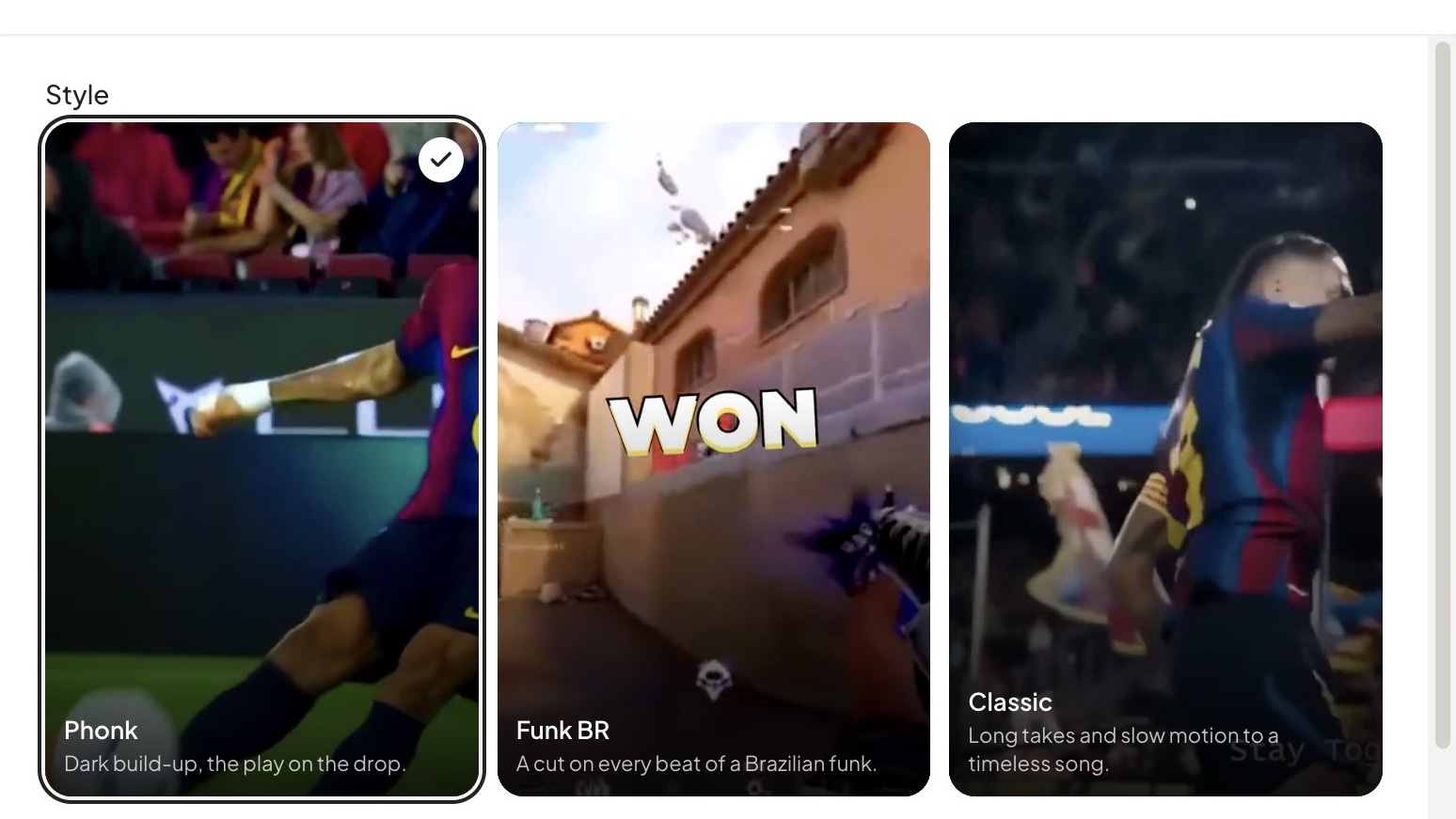
How to Make Phonk and Gameplay Edits: Put the Best Play on the Drop
Plan football and gameplay edits around setup, impact and reaction. Learn beat timing, speed ramps and effect placement using real Sentarys Viral Edits examples.
The goal, clutch or trick should arrive when the music gives it the most weight. An edit can have excellent footage and still feel late if the bass hits before the decisive action. A strong phonk or gameplay edit makes the viewer anticipate that moment and then lets them see it clearly.
Sentarys Viral Edits takes football, gameplay and other action footage and builds edits around decisive moments, music and effects. Use the method below to plan the source and review the result with an editor's eye.
Pick an action with a beginning and an ending
A ball already in the net gives you a result. The run, defender, strike and reaction give you a sequence. In gameplay, preserve the angle or pressure that makes the clutch readable. For skate footage, keep enough of the approach for a viewer to understand what was attempted.
Start by marking three points: when the challenge becomes clear, when the outcome changes and when the reaction finishes. Your final cut may be short, but it should contain all three. If viewers need to know the score, let the existing scoreboard stay legible long enough to establish the stakes.
Build a music map before adding effects
| Music section | Visual job | Editing choice |
|---|---|---|
| Opening | Establish the player or situation | One readable shot |
| Build-up | Create anticipation | Approach, aim or movement |
| Drop | Land the decisive action | Goal, hit, kill or landing |
| After the drop | Let the result register | Reaction or brief replay |
You do not need a new shot for every beat. Cut on beats that change the action or viewpoint. If an important movement takes longer, let it finish across the rhythm. The song gives the sequence structure; the sport or game gives it meaning.
Use speed ramps to aim at the impact
A speed ramp changes how quickly the viewer moves through a shot. Faster approach can compress dead travel time; a slower decisive moment can reveal the detail. Keep the order of the action intact. A viewer should still understand who moved, where the ball went or which target the player hit.
Watch the ramp at normal playback speed. If the motion seems to skip the actual contact, restore more of the original timing. A slow landing without its approach is often less satisfying than a clean, unaltered action.
Create the edit in Sentarys
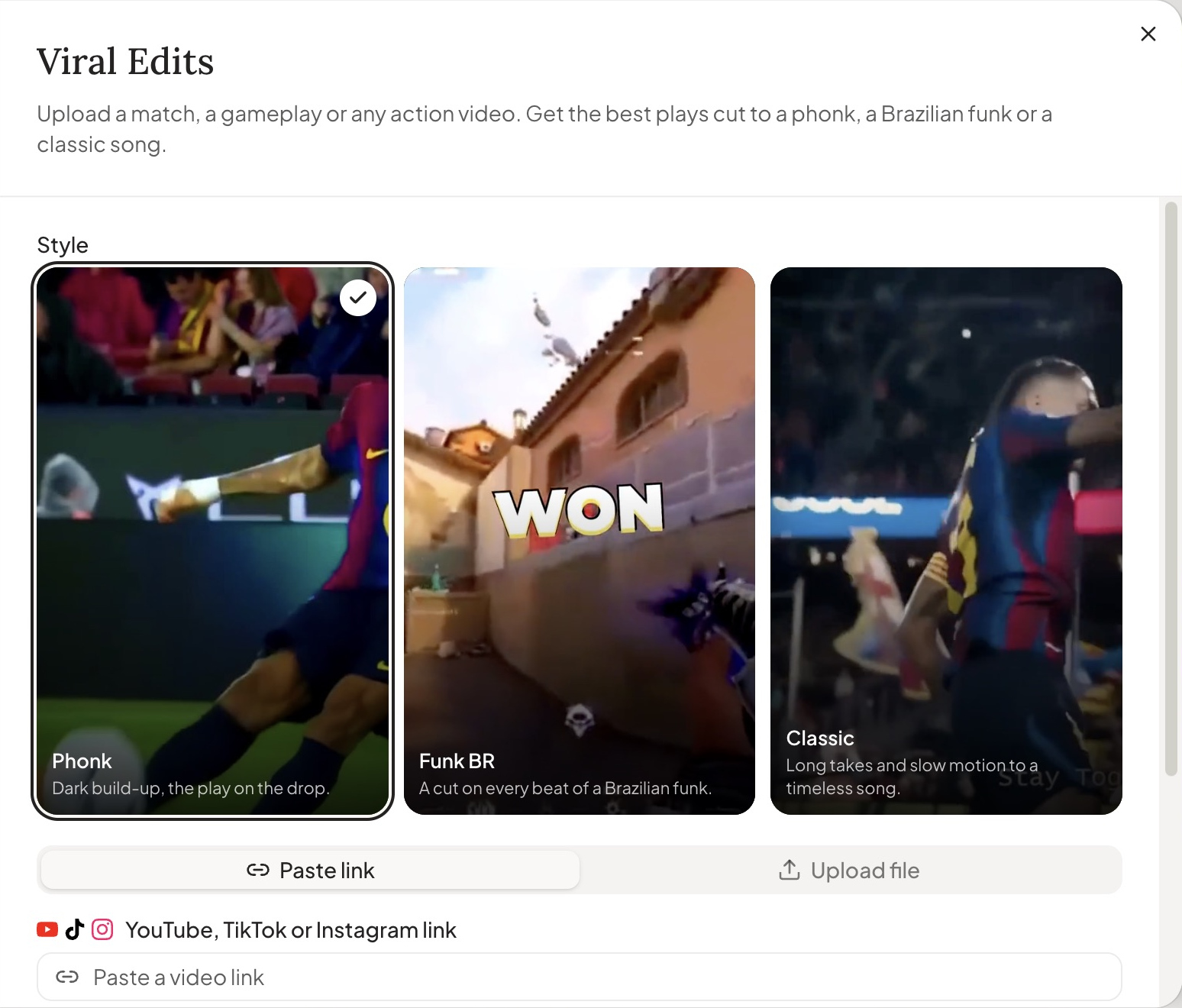
- Open Create → Viral Edits and supply your source file or supported video link.
- Choose Phonk for a darker build-up, Funk BR for a busy rhythmic edit or Classic for a more spacious treatment.
- Read the job estimate and create the edit.
- Watch the selected plays. Check that the decisive action lands with the music and remains visible through the effect.
- Open the editor to refine cuts, remove a distracting effect or adjust the sequence, then export.
Viral Edits costs 200 credits per minute of source video, with a 1,000-credit minimum per job. A ten-minute source uses 2,000 credits. The amount of footage analyzed determines that cost; a fifteen-second final edit does not turn a ten-minute import into fifteen seconds of analysis.
A brief to prepare your footage
Plan a 20-second vertical edit from my football recording. Identify the strongest complete play and write a timing plan with setup, build-up, impact and reaction. Land the strike or decisive touch on the main drop. Preserve the ball and goal in frame. Suggest one speed ramp before the action and one brief effect at impact. Avoid invented scores, player names or text. Return source timecodes and an edit plan I can review.
Use this as a planning prompt when reviewing footage or briefing an editor. In Sentarys, choose the source and music style in the creation form, then apply your review to the generated timeline.
Give each effect one job
A flash can mark contact. A shake can emphasize impact. A whip pan can connect two plays. Stacking all three over the same frame may hide the thing viewers came to see. If the clip becomes difficult to follow with sound muted, remove an effect before adding another.
Keep any score or player label tied to something visible in the source. Check faces, the ball and the crosshair after reframing. Our horizontal-to-vertical guide explains the crop choices; the safe-zone checker helps keep important details away from feed controls.
Make the channel bigger than one montage
Use a phonk edit for the highlight, a stream clip for the reaction and a narrated explanation for the tactical detail. Sentarys lets you develop those posts from the same creative workflow. Before posting, use footage and music you can publish; YouTube's Audio Library guide explains one source of music and its attribution rules.
Sentarys Pro is $10/month with 30,000 credits shared across AI workflows. Check the estimate for your chosen video before creating it. Start with 6,000 free credits and keep developing your channel in the same studio.
Ready to try Sentarys?
Paste a link or upload a video and get finished clips with captions. 6,000 free credits on signup, no credit card required.
Get Started FreeRelated Articles
Best Editing Software for Vlogging: Honest Picks by Vlogger Type
DaVinci Resolve, CapCut, Premiere Pro, Final Cut Pro, iMovie, Descript and Sentarys compared for vloggers, with the right pick for how you shoot and publish.
How to Make a Travel Vlog: Plan, Film and Edit a Trip People Watch to the End
A complete travel vlog workflow: the story idea, a shot list, what to film each day, audio, b-roll, batteries and storage on the road, and how to edit hours of footage.
B-Roll Ideas for Vlogs: 40 Shots by Situation and How to Use Them
Practical b-roll ideas for travel, daily, food, city and nature vlogs and for talking-head videos, with how to shoot each one and where it belongs in the edit.