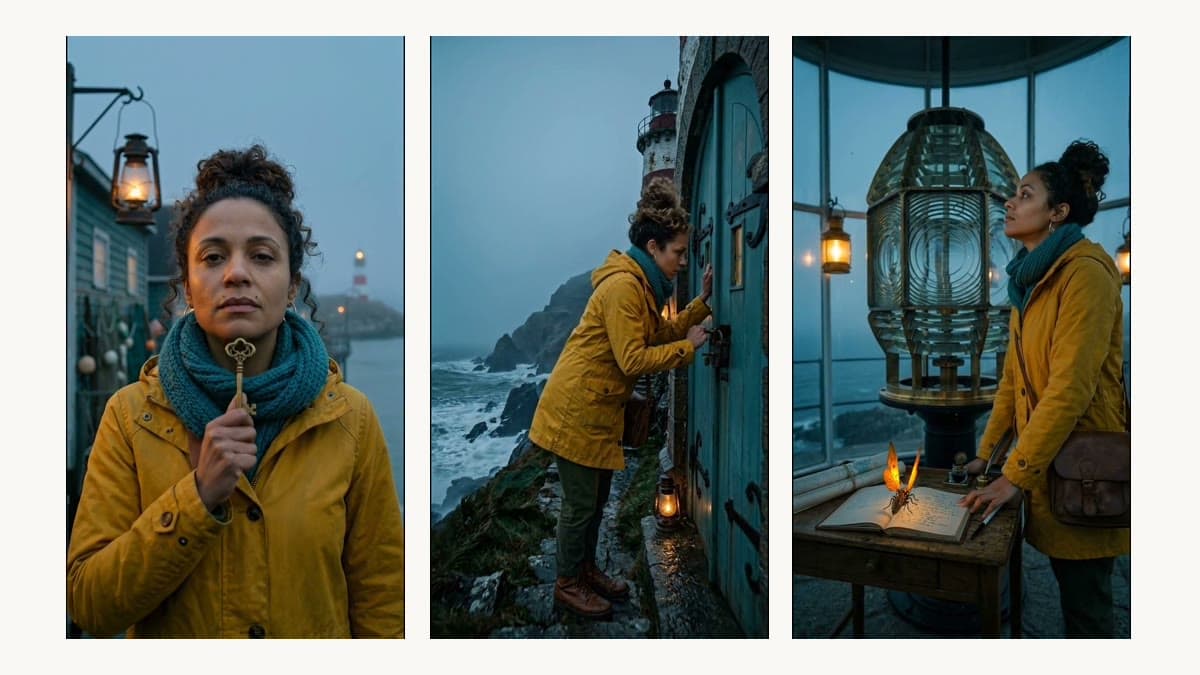
How to Keep the Same Character Across an AI Video Series
A practical method for consistent AI characters: write a series bible, build a turnaround sheet, start every shot from a reference frame, measure the face, animate, and redo only the shot that drifts.
To keep the same character across a series of AI videos, define the character once in a series bible with reference images, build every shot from a first frame composed from those references, measure the face against a fixed anchor before you animate, and give the character one voice for the whole series. When a shot drifts, redo that shot only. The method works with any image and video model, and Series Lock in Sentarys runs the whole loop for you.
Why do AI characters change between episodes?
A text prompt describes a person without identifying one. "Young cartographer, mustard raincoat, curly hair in a high bun" fits thousands of faces, and every generation picks a new one. Video models add a second drift: when the head turns or the light moves, the model redraws the face frame by frame.
We measured it. In our Saltmere demo, a lookalike generated from the same written description, with no references, scored 0.50 to 0.55 face similarity against the character's anchor. The character built from a bible scored 0.64 to 0.74 on front close-ups across three episodes.
Step 1: What goes into a series bible?
A series bible is the single source of truth every shot is built from. Keep it short and visual:
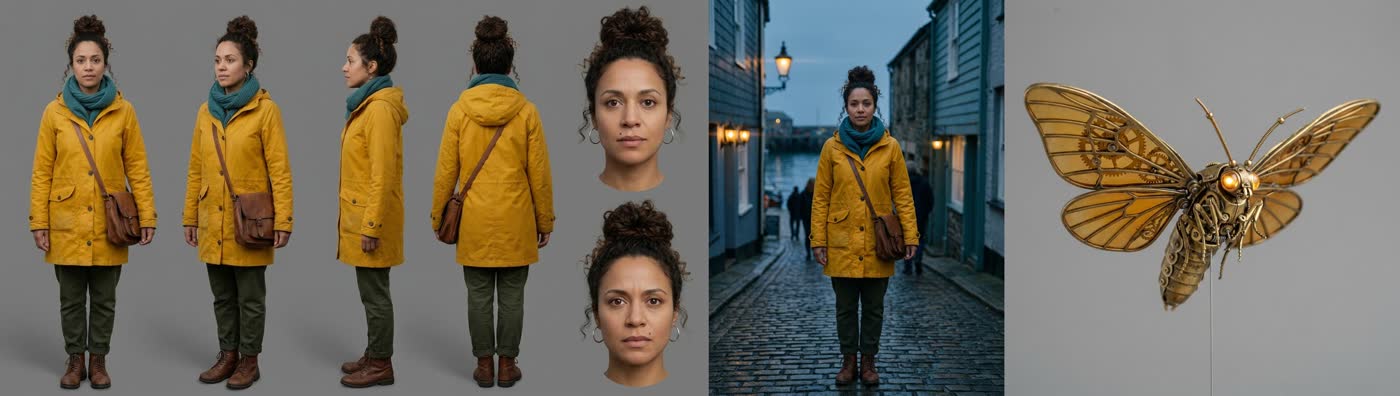
- Characters. Identity in details a camera can see (face shape, hair, a mark such as a small mole above the lip), the wardrobe, and one fixed voice per character.
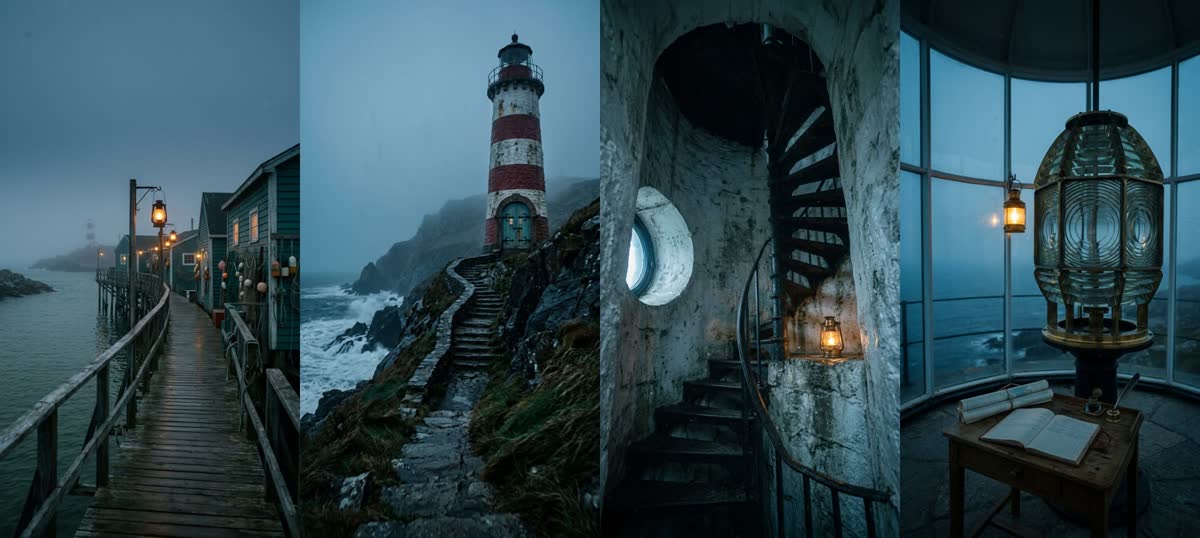
- Locations. A short description and one reference plate per place.
- Palette. Three to five colors that repeat in every episode.
- Camera rules. Aspect ratio, framing habits and the light you want, for example 9:16, close-ups for dialogue, fog and lantern light.
Step 2: Why build a turnaround sheet?
A single portrait tells the model what the face looks like from one angle. A turnaround sheet shows the same person from the front, three-quarter, profile and back, plus close-ups of the face, so later shots at any angle have something to match. Give every recurring prop and every location the same treatment.
Step 3: How do you build the first frame of each shot?
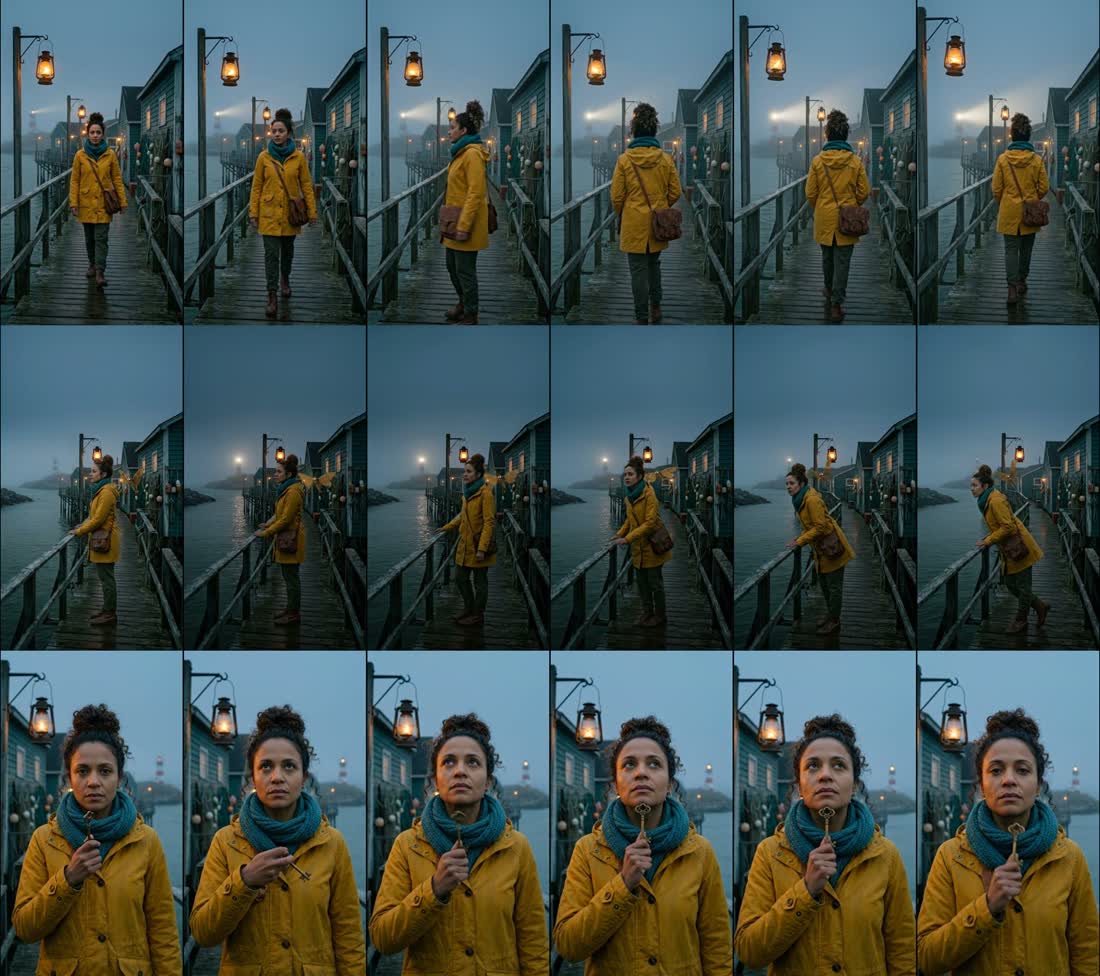
Compose each shot's first frame from the references: the character sheet, the location plate and a one-line shot description. An image model that accepts several reference images does this well; Sentarys uses Gemini 3.1 Flash Image. The first frame is the contract for the shot. Everything the video model does afterwards starts from it.
Step 4: How do you check that it is still the same person?
Use a face embedding model such as ArcFace and compare each frame with the character's anchor portrait by cosine similarity. The score turns "looks close" into a number you can gate on.
| What we measured (ArcFace, cosine to anchor) | Score |
|---|---|
| Text-only lookalike, same description, no references | 0.50 to 0.55 |
| Same-person line used for the measurement | 0.58 |
| Front close-ups across three episodes | 0.64 to 0.74 |
Faces smaller than about 80 pixels carry too little detail for a reliable score, so judge wide shots by wardrobe, hair and silhouette, and keep identity-critical moments in close-up.
Step 5: How should you animate the frame?
Use image to video from the approved frame, in short shots of about six seconds. Motion models drift most when a face turns away from the camera or is lit from the side, so write those moments as wide shots or keep the face toward the light. Describe the motion, the camera move and the ambient sound in the prompt, and leave the character's look to the frame.
Step 6: Why give each character one fixed voice?
Viewers recognize a voice as fast as a face. Pick one voice per character in the bible and reuse it in every episode, with captions in the same style. Changing the voice breaks the series even when the face holds.
Step 7: What do you do when a shot drifts?
Measure the finished shot, and if the face drifted, regenerate that shot from its locked frame. Keep the rest of the episode. Redoing one six-second shot is cheaper and faster than starting the episode over, and the good shots stay exactly as they were.
How does Series Lock automate the method?
- Series bible. Characters with identity, wardrobe and one fixed voice each, plus locations, palette and camera rules. Each character gets a reference portrait and a turnaround sheet, and each location gets a plate, made with Gemini 3.1 Flash Image.
- Locked first frame. Every shot starts as a frame composed from those references and passes a face identity check (face embedding similarity against the character's anchor) before any motion is paid for. A frame that fails is redrawn.
- Motion. Google Veo 3.1 Lite animates the locked frame at 720p with ambient sound. Dialogue uses the character's fixed voice and is captioned.
- Redo the failed shot only. If the video model blocks or fails a shot, the credits come back.
Pricing: 800 credits per generated second, with a minimum of 4,800 per shot (a 6 s shot), and 6,000 credits to create the bible. An 18 s episode of three shots is 14,400 credits. Pro costs US$10 a month with 30,000 credits, enough for the bible and a first episode (20,400 credits) in month one, then two 18 s episodes (28,800 credits) a month.
See the full numbers in the Saltmere case study, compare the method with other tools in our character consistency comparison, or create an account and start a series.
FAQ
Can I keep a character consistent with text prompts alone?
Rarely across several shots. In our test, a lookalike from the same text description scored 0.50 to 0.55 against the real character, below the 0.58 same-person line. Reference images close that gap.
Which reference images does a character need?
One hero portrait as the anchor, plus a turnaround sheet with front, three-quarter, profile and back views and close-ups of the face. Recurring props and locations need their own reference too.
What similarity score means "same person"?
In our Saltmere measurement with ArcFace embeddings we used 0.58 as the same-person line. The real character's front close-ups scored 0.64 to 0.74, and a text-only lookalike 0.50 to 0.55. Series Lock runs a face identity check on every first frame before animating it.
Does this method work with Runway, Kling or Veo?
Yes. The bible, the reference frame, the face check, the fixed voice and the shot-level redo work with any model that accepts reference images or image to video. Series Lock automates the same steps.
Why do faces still drift in some shots?
Video models redraw the face as it moves. Turned faces, side light and small faces drift most. Checking the first frame and redoing only the shot that drifts keeps the cost of that limit low.
How much does one episode cost in Sentarys?
An 18 s episode of three 6 s shots is 14,400 credits, and the bible is 6,000 credits once. Pro is US$10 a month with 30,000 credits.
Ready to try Sentarys?
Paste a link or upload a video and get finished clips with captions. 6,000 free credits on signup, no credit card required.
Get Started FreeRelated Articles
Saltmere: Keeping One AI Character Across Three Episodes (Case Study)
How we made a three-episode AI series with the same character in every shot, with measured face similarity, what still drifts, and the real cost: US$6.41 for the whole demo.
AI Video Tools for Consistent Characters in 2026: An Honest Comparison
Runway, Kling, LTX Studio, Higgsfield, OpenArt, Pika, Hedra, Google Flow and Sentarys Series Lock compared on how they keep a character the same across shots. Features checked on official pages on 2026-10-07.
How to Auto Clip Your Twitch Stream While You Are Still Live
Chat spikes, voice spikes and the story around them: how automatic Twitch clipping finds real moments, skips donation readings and hands you captioned vertical clips before the stream ends.